
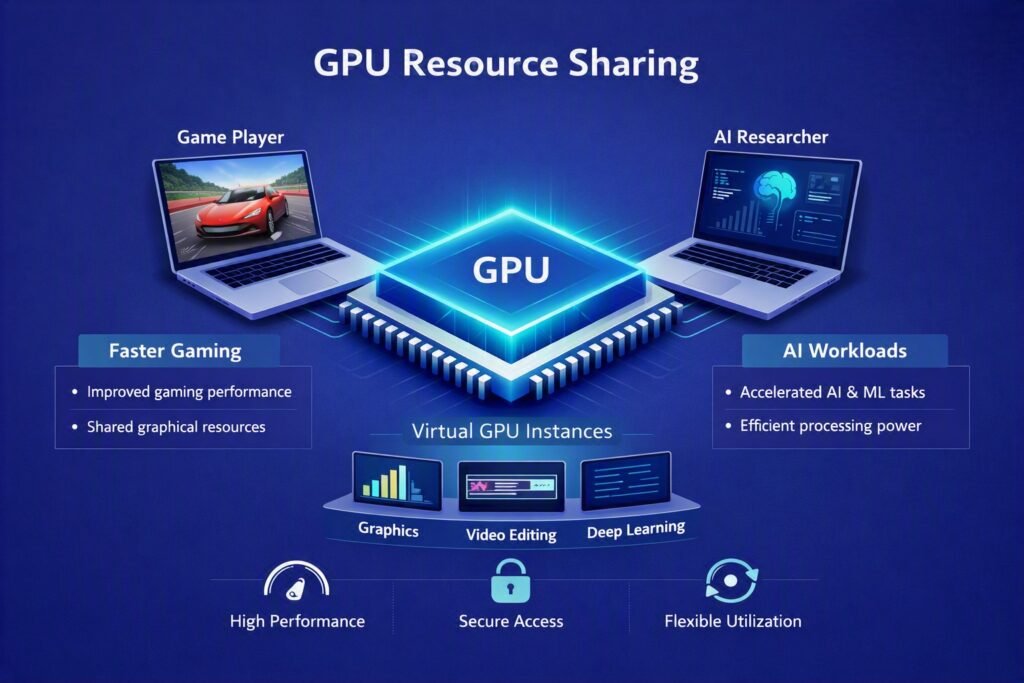
GPU partitioning is a technology that enables several users to share a single GPU by separating its resources into virtual segments. Sharing GPU resources is extremely useful when several workloads or users need access to GPU partitioning but do not require a completely dedicated GPU. However, as demand for specialised hardware grows and GPU partitioning continues, we should expect more companies to invest in purpose built GPU architectures to remain competitive.
Businesses face a conundrum: the need for processing power, support for new technologies like generative AI, and management of multiple workloads. They now have to decide whether to invest in sophisticated computing resources or postpone the project to manage it within the constraints of their present capabilities.
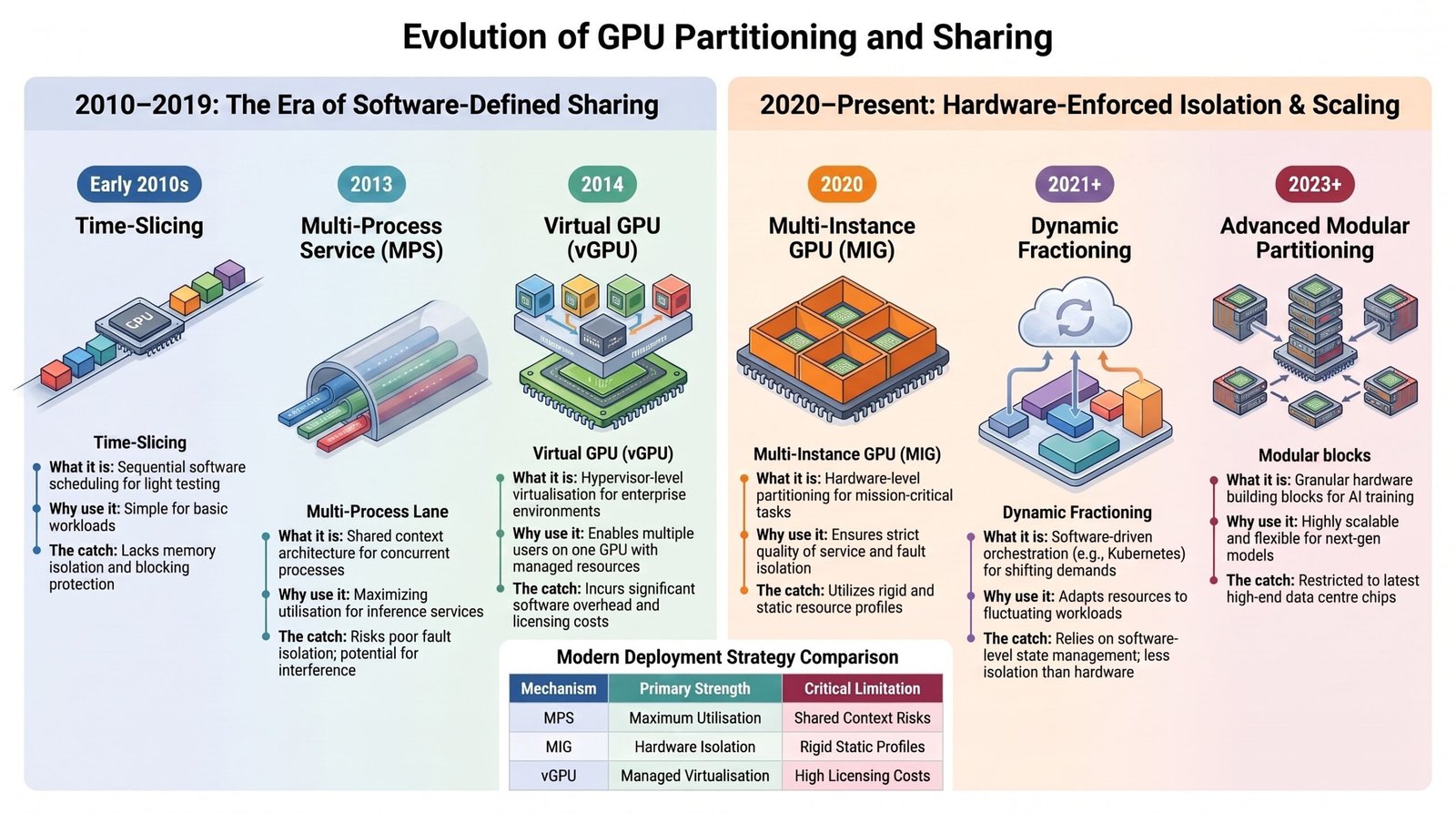
GPU partitioning allows organisations to optimise their usage of computing resources by only utilising what they need, reducing costs and maximising efficiency. As more businesses recognise the benefits of this approach, they can learn to stay competitive by striking a balance between infrastructure and financial constraints. Renting parts of high-performance GPUs rather than full units is something that emerging firms also want to do.
NVIDIA’S Innovation in GPU Partitioning
NVIDIA is a top provider of GPUs, which are essential for high performance computing applications. As a result, many businesses rely on NVIDIA GPU partitioning to meet their computing needs. NVIDIA recognised early that developers could program GPUs for general applications such as AI, science, and engineering, and they built an ecosystem around them. They also provide software development kits and libraries to help with GPU partitioning. Let’s take a look at what sets NVIDIA apart from its competitors:-
- The CUDA (Compute Unified Device Architecture) Advantage: CUDA is NVIDIA’s proprietary software platform that transformed GPUs from graphics only chips into general-purpose powerhouses. CUDA gave developers a straightforward way to write programs that run on GPU hardware. Today, developers primarily build most AI frameworks and engineering software using CUDA.
- A Rich AI Ecosystem Out of the Box: NVIDIA not only sells hardware but also offers a comprehensive set of tools that make GPU programming easier. It includes efficient libraries and tools for training modules, compressing AI code, and managing many GPUs simultaneously. Engineers do not have to create these from scratch.
- The Cloud runs on NVIDIA: Every major cloud service provides NVIDIA GPUs as a key choice. Engineers can easily deploy and scale their applications using NVIDIA’s hardware and software ecosystem. This makes it the preferred choice for cloud based AI and engineering workloads. In light of this extensive acceptance, when engineers or businesses require GPU power in the cloud, they nearly invariably use NVIDIA hardware.
- Raw Performance Built for Modern Workloads: NVIDIA GPUs are engineered to excel at exactly the tasks modern engineering demands, i.e. deep learning, image processing, physics simulations, and large-scale parallel computation. They are optimised to move massive amounts of data quickly and enhance high performance computing tasks. As a result, NVIDIA GPUs can provide unparalleled raw performance when it comes to handling these complex workloads.
- Safety and Stability Across Partitioned Workloads: When multiple processes share a GPU, one failing process can crash everything. NVIDIA’s architecture keeps each workload isolated at the driver level, so problems don’t cascade. Hence, NVIDIA’s GPUs can prevent catastrophic system failures and maintain the reliability and efficiency of high performance computing tasks.
How can hardware engineers benefit from GPUs?
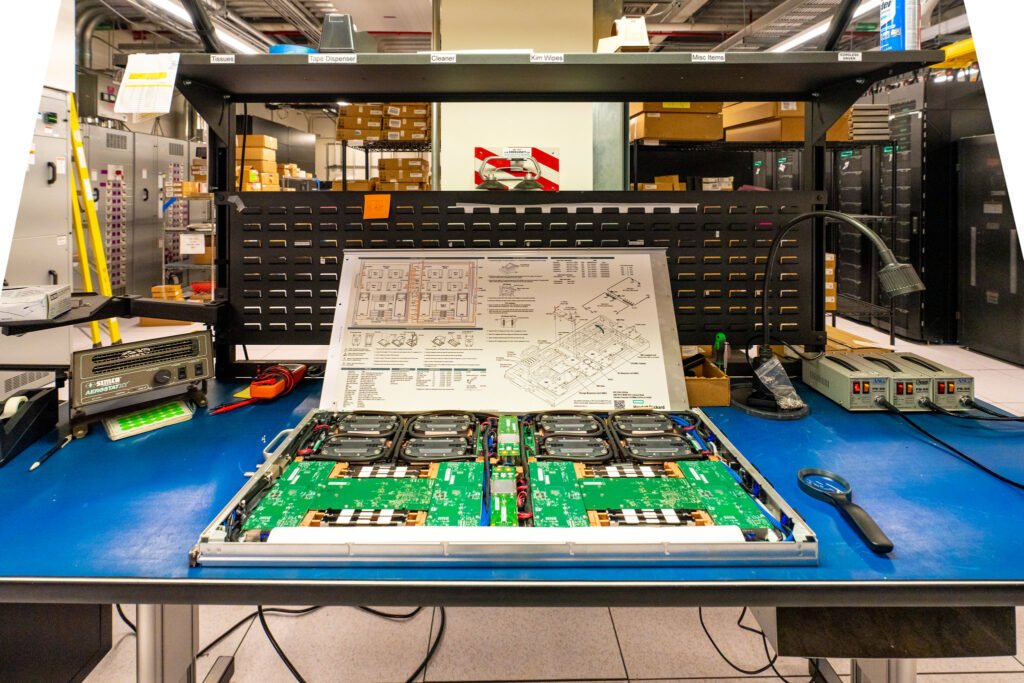
Standard cloud GPUs efficiently support multiple users without needing any additional hardware. However, hardware engineers typically have to build systems that need real-time processing or high-performance calculations. This is where specialised GPU architectures known as bare metal GPUs come into play.
Bare metal GPUs offer direct hardware access, enabling fine-tuning of GPU performance for complex computational workloads. This level of control allows you to configure system parameters such as GPU clock speed, power limits, and memory management.
Hardware engineers can easily get around constraints posed by conventional operating systems. Thanks to bare metal GPUs, which offer lower latency and increase overall system responsiveness. Furthermore, the ability to change GPU settings based on your workload requirements maximises the hardware’s overall efficiency.
Let’s take a look at some of the applications where bare metal GPUs can come in handy:-
- High-Fidelity Digital Twin Prototyping: Fractional GPU slices can be used to virtualise hardware logic and test RTOS code against virtual motors and sensors for a fraction of the expense of a dedicated local workstation.
- Edge AI and TinyML Model Optimisation: Specialised TinyML models can be compiled on bare metal GPUs before being loaded onto resource constrained hardware such as the ESP32 or ARM Cortex-M, which call for “shrinking” huge AI models to fit on-board memory.
- Accelerated HMI and Graphical Interface Design: Designing complicated dashboards for automotive or medical applications that require high resolution rendering by means of virtual GPUs without exceeding the capabilities of conventional development laptops.
- Custom Kernel Development: Bare metal environments provide the transparency and control required to fine-tune hardware configurations, which include creating custom CUDA kernels for enhancing specific scientific computations or simulations.
- Secure Hardware Isolation: Physical separation capabilities provided by bare metal GPUs prevent the “noisy neighbour” effect of shared virtual environments from jeopardising delicate AI tasks.
Frequently Asked Questions
Q1: Is buying a high-end GPU for your Laptop better?
A: Not necessary, as long as you don’t need it for serious gaming or graphic design work. You can choose either a cloud TPU or an open-source GPU that doesn’t require installation on your device. This choice helps to avoid significantly depleting or damaging your battery life.
Q2: What does it mean when a Laptop has a “built-in” GPU?
A: The laptop’s CPU and GPU merge into a single chip, creating what we call integrated graphics. This setup maximises energy efficiency, decreases physical space, and lowers manufacturing costs. Additional benefits include the same unit handling processing and graphics tasks.
Q3: How come Google TPUs are cheaper than Nvidia GPUs?
A: TPUs are based on systolic array architecture, which simplifies the physical hardware chip design by allowing data to flow across ALU grids in a wave-like fashion, reducing the need for back-and-forth reading and writing to memory registers. This minimises component prices, maximises data reuse, and lowers manufacturing and utility costs. Hence, Google TPUs are ideal for cloud infrastructure rentals and large-scale training. NVIDIA GPUs are generally the better choice for initial purchases and low volume applications. However, users can effectively utilise both options based on their specific needs and budget constraints.
Q4: Is a core the same when it comes to CPUs and GPUs?
A: A CPU core executes instructions sequentially, while a GPU core processes many tasks in parallel. CPU cores are in charge of executing program instructions, completing calculations, and controlling data flow, among other components. GPU cores actively manage visuals, generate images, and process large volumes of data simultaneously.
Q5: What are the common NVIDIA GPU models, and what do their names signify?
A: NVIDIA identifies its GPUs with letters and numbers to indicate their generation and power level. In layman’s terms, larger numbers indicate more power, and the order from weakest to strongest for AI jobs is T, V, A, and then H. Check this out:
- The T-Series (“T” = Tesla or “Turing”) is entry-level GPUs designed for mild AI jobs for beginners. For example, T4, T1000, and T2000.
- The V-Series (“V” = Volta) is from an older generation that was once the norm for data centre AI work. For example, V100.
- The A-Series (“A” = Ampere, i.e., AI-focused GPUs) refers to the current workhorse GPUs designed exclusively for serious AI training. For example, A10, A30, A100.
- The H-Series (“H” = Hopper, i.e., Newest Generation) is the most recent and quickest generation. Intended to handle cutting-edge AI tasks. For example, H100, H200.
- The RTX-Series (“RTX” means Ray Tracing Texel Extreme) is designed for gaming and graphics, although it is also utilised by researchers and professionals. For example, RTX 3090 and RTX 4090.
This post was inspired by (Rising AI demand drives shift to fractional GPU model by Shlipa Phadnis and Supriya Roy | Times of India)
References:-
- https://medium.com/@davide.ruti/a-deep-dive-into-gpu-sharing-technologies-5c32a4e1a6d4
- https://www.digitalocean.com/resources/articles/bare-metal-gpus
- https://research.colfax-intl.com/sharing-nvidia-gpus-at-the-system-level-time-sliced-and-mig-backed-vgpus/
- https://clear.ml/blog/open-source-fractional-gpus-for-everyone-now-available-from-clearml
- https://ieeexplore.ieee.org/document/8743200

Noor Fatimah Iqbal Husain is the visionary behind Wiztaqnia. As a hardware engineer passionate about hands-on learning, she simplifies complex electronics and technology through engaging content. When not writing or working with circuits, she explores emerging technologies and their real-world benefits. Connect with her to deepen your understanding of technology and electronics.